

 Join our Discord
 X
X
 Instagram
A new NLE for the art of editing, with a better workflow and performance than you've ever felt before.
Fully native, built from scratch.
Blick is written from scratch in  .
.
The renderer, the UI framework, the works.
It is built for speed and answers the instant you call.
Scrub at the speed of thought.
Fly across hours of footage. Scrub, zoom and experience a timeline that is as fast as your hand. Files play the moment you drop them in, with no indexing wait, and J, K and L shuttle forward and backward at any speed.
Start editing the second it opens.
No import interjections or New Project dialog screens stand between you and editing. Blick opens right onto a blank project, so you can get straight to work. We'll autosave for now, and you can worry about making it a "project" later, when you want to.
Editing doesn't stop for a render.
Start the export before you've finished the outro, and keep working. Catch a mistake mid-render? Fix it and keep going without restarting. Pause the render, make changes and rewind to an earlier point. Rendering is no longer a big burdensome commitment. Export to H.264 or AV1 in 8-bit or 10-bit, or to ProRes on macOS.
Animate with curves, right in your timeline.
Keyframing is done right inside the timeline, no awkward secondary keyframing timeline. Shape the motion in the curve editor with bezier handles, or pick an easing preset like Ease in, Ease out or Swish, and switch between the dope sheet, the curves, or both. You can even record live animations by simply moving things around during playback.
No arbitrary locks on values.
Change the framerate, resolution, bitrate and sample rate whenever you want. Every edit you made stays exactly in place, and footage automatically fits, fills, or stretches to the frame, by your choice.
Record your voice-over right onto the timeline.
Pick an audio track, park the playhead and hit record. Blick records from your microphone straight onto the track, with a live level meter, and saves every take as a WAV file next to your project.
Your whole timeline at a glance.
Every clip shows what's inside it, so you always know what is what, and where you are, without scrubbing to find out.
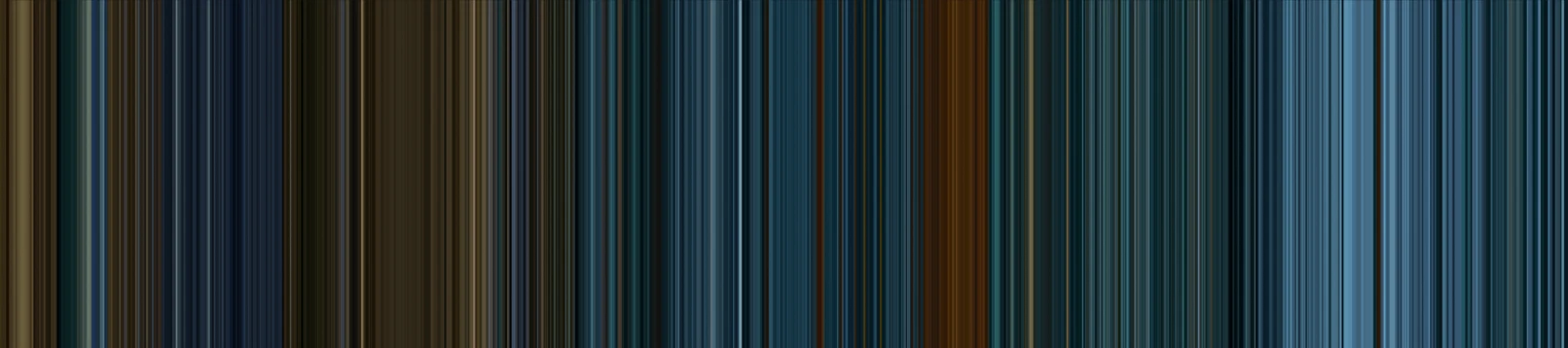
The ÜberBlick
A gradient strip of the most prominent colours across frames. See where you are in the timeline and in the clips, at a glance.
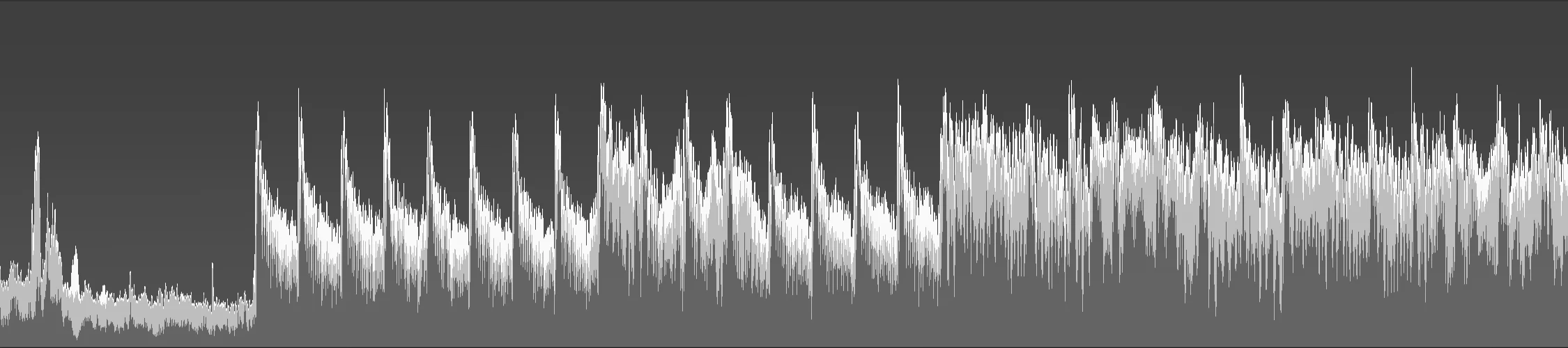
The MultiWave
A stack of waves visualizing the spectral activity inside your audio clips, so you can see what's happening, even when the waveform is a complete sausage.
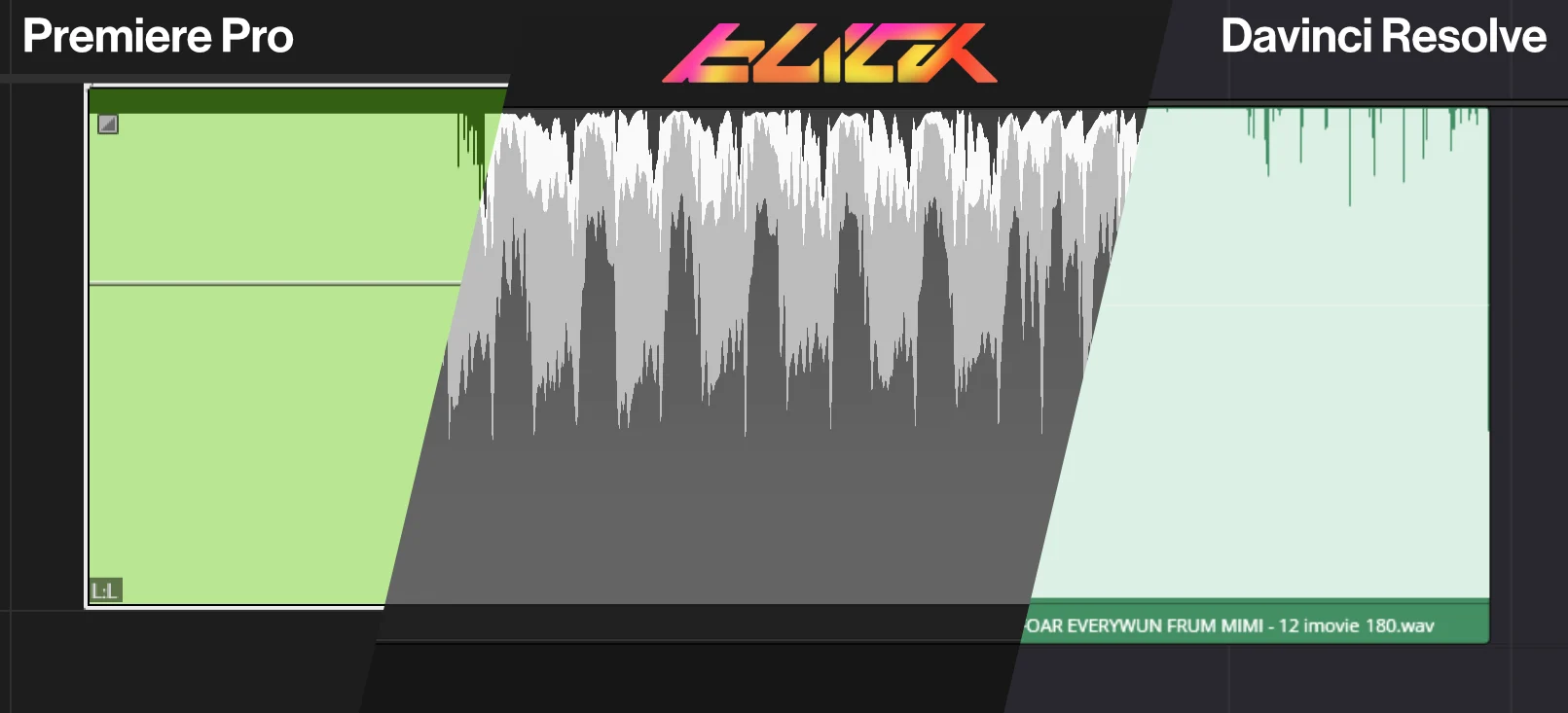
You'll feel blind without it.
Here's the same music in Premiere Pro, Blick and DaVinci Resolve. Finally, you can be the victor of the loudness war.
Everything, one keystroke away.
The command palette lets you search through every action and every setting in one place. Run the action, or change the setting right there. Quick and simple. Much faster than menu-diving, or looking up YouTube tutorials just to see where that button is.
Your tools live under your fingertips.
Hold a key to summon the tool just while you need it, then let go and it steps aside. No more clicking back and forth between the normal cursor and alternate tools.
Range select
Grab any section out of your clips and extract or duplicate it cleanly.
Knife
Hold, click and split. Cut one clip, linked clips, or every track at once.
Slip
Slide the content around while the clip stays put.
Titles, typed right on the canvas.
Write multiline text straight into the frame, with proper shaping for non-Latin scripts and your system's input methods. Size, color, spacing and outline are all keyframeable.
Edit on the canvas
Type straight into the frame and mix scripts in one clip, Arabic next to Latin included.
Timers and countdowns
Turn a text clip into a running timer that counts up or down, with drop-frame timecode when you need it.
An effect roster that covers the basics, and we're adding more.
Transform, Levels, White Balance, Hue & Saturation, Chroma Key, Vignette, Sharpen and more, with more to come. Color Space reads camera log footage in 15 log and HDR curves, including S-Log3, V-Log and Apple Log, and Tone Mapping fits it to standard output. Keyframe their values right in the timeline.
Your workspace bends to you.
Split, drag and dock panels wherever you want them, or pull one out into its own window, like the Monitor on a second screen. Save your layouts and switch between them.
Know exactly what is in every file.
By the power of ffmpeg, the inspector reads out every datapoint of every stream: codecs, resolution, channels, timing, all of it. The media table sorts and searches your files, fonts included, and any file plays on its own in a Monitor player.
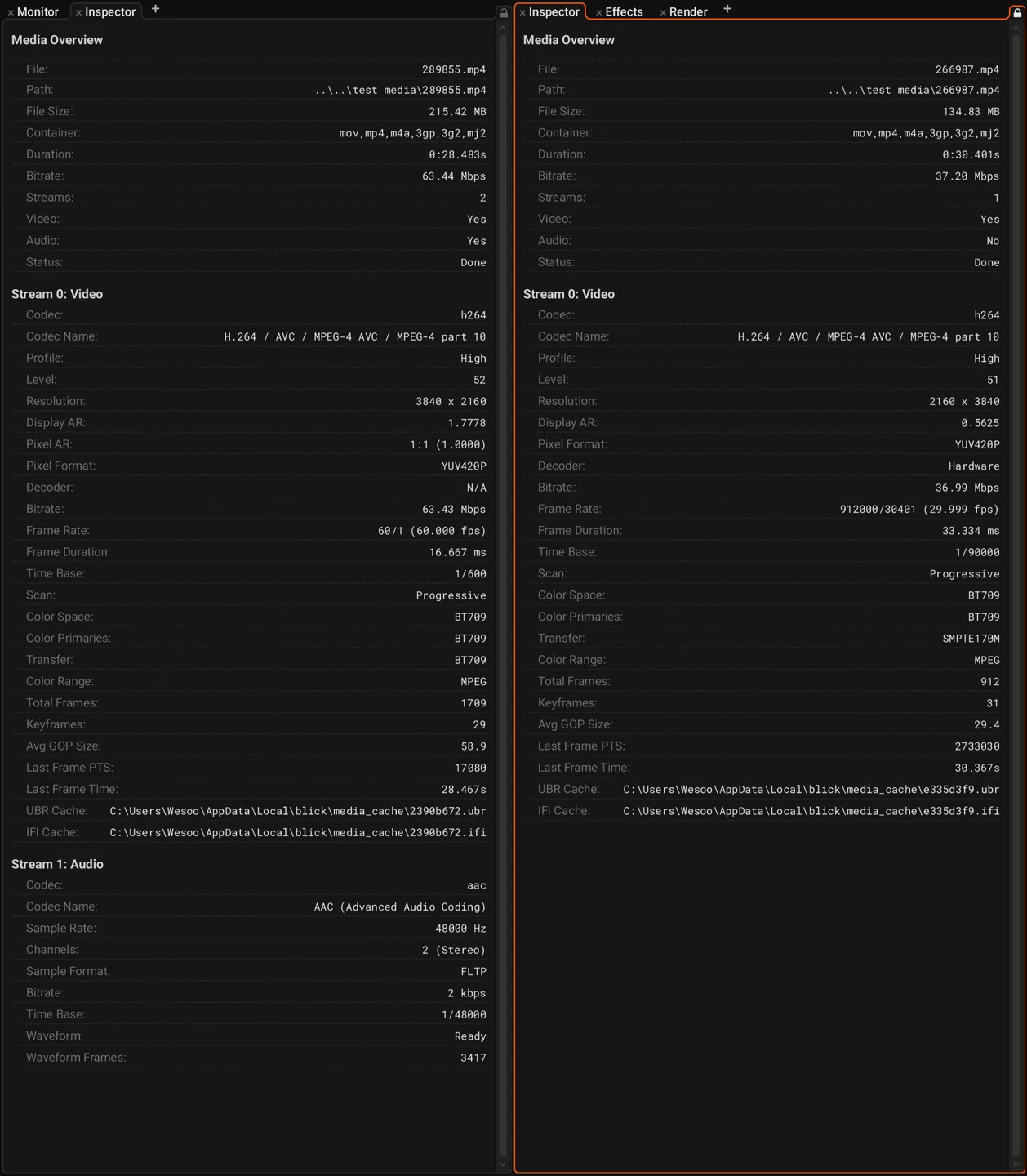
Inspect a file and each of its streams in full detail.
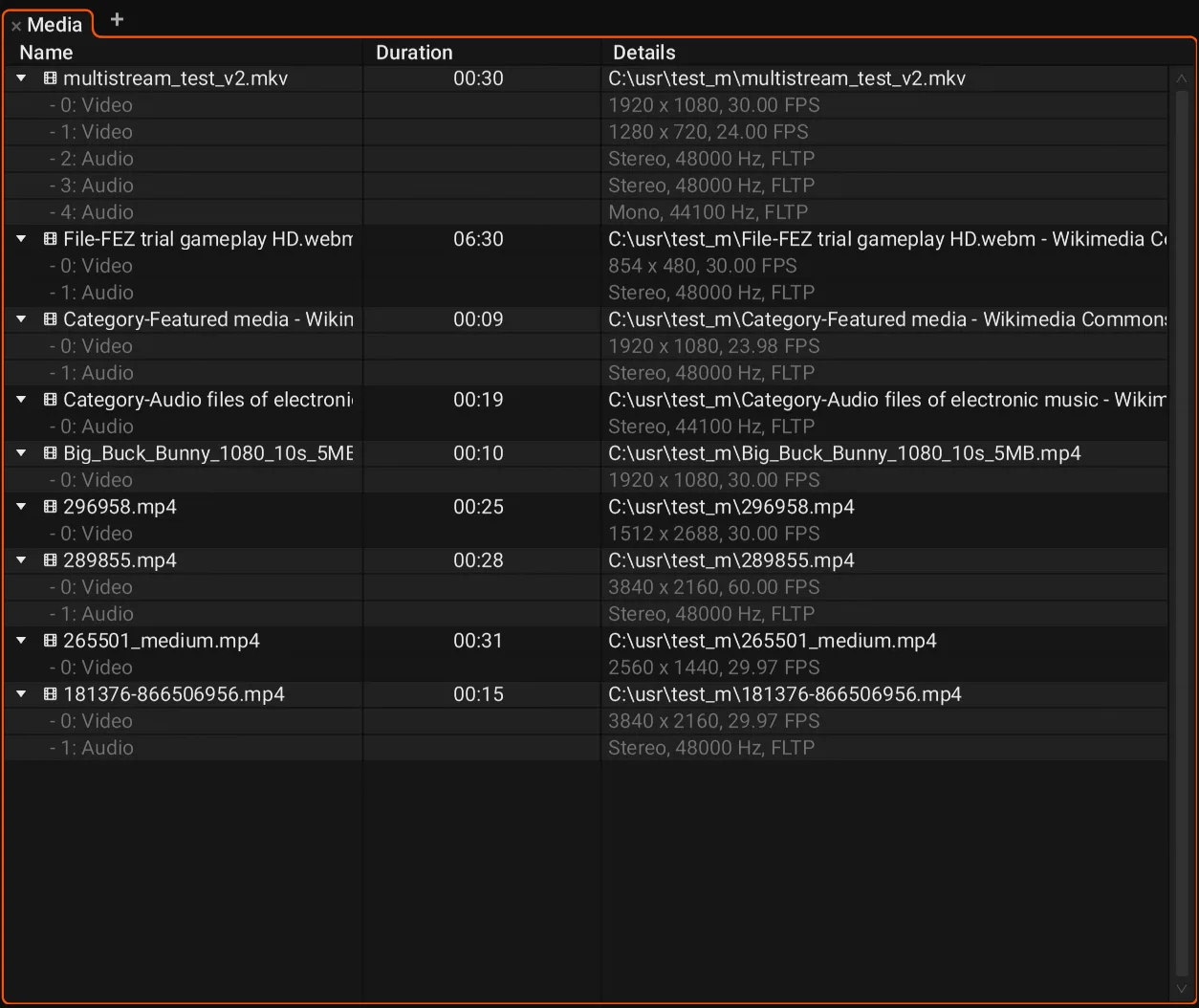
See and pick out individual streams to place onto the timeline.
Link any number of clips so they move, trim and travel as one. Yes, even multiple video clips.
Your work stays yours.
Projects that open in an instant.
Everything saves to one portable file in a plain folder. Relative and absolute paths cooperate, so you can move a project across drives and clouds and it still finds its media.
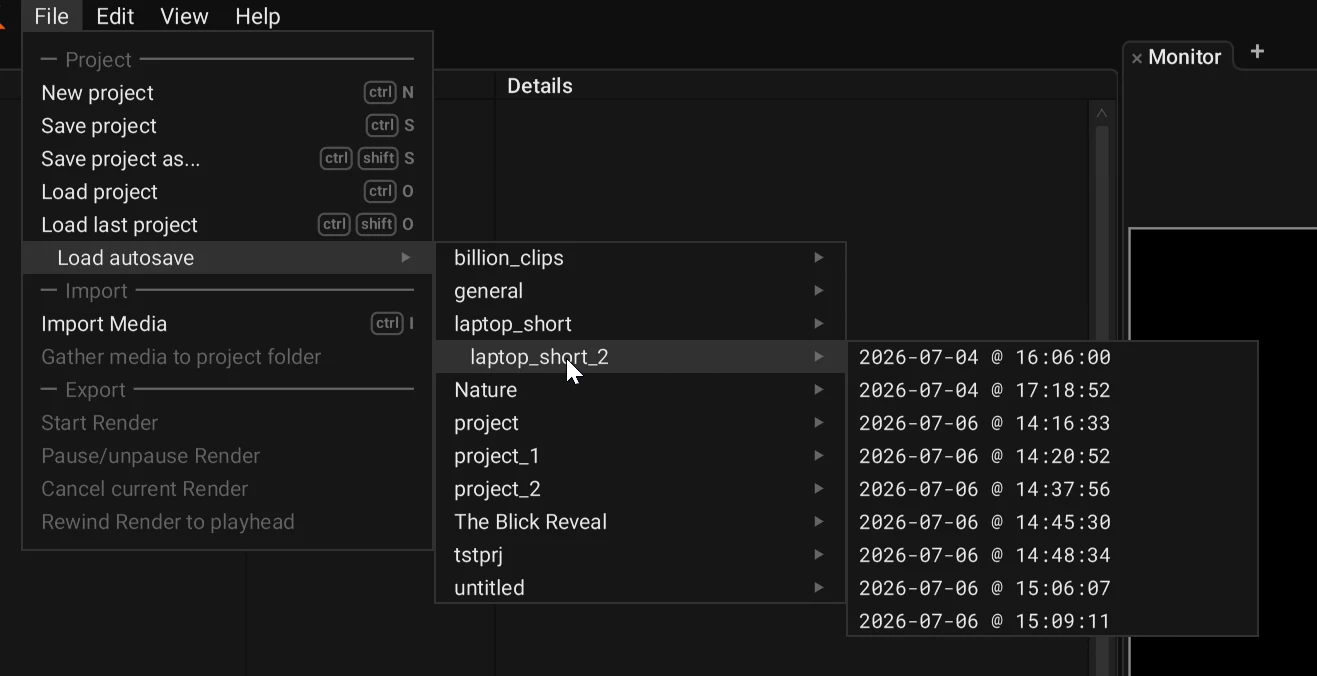
Never lose a session.
Blick autosaves your work on a steady, quiet rhythm. Shut the lid, pull the plug or bluescreen, and restart exactly where you left off.
Also in Blick.
Ripple editing
Trim or delete, and everything after the edit moves up to close the gap. Hold A to ripple trim.
Speed and reverse
Hold R and drag a clip edge to change its speed, or play a clip backwards in place.
Monitor zoom and snapping
Zoom into the Monitor up to 16x. Clips snap to the center as you drag them.
Selection follows playhead
Turn it on and the clip under the playhead stays selected as you scrub and play.
Frame grabs
Save the current Monitor frame as an image with Ctrl+Shift+E.
Copy between projects
Copy clips from one open Blick project and paste them into another.
Themes and color picker
Pick a color theme. Every color field has a full picker with an eyedropper that samples anywhere on screen.
Phone footage
Rotated phone video shows the right way up, automatically.
Recent projects
Reopen what you worked on last from File > Load recent project.
Proxies
Generate lightweight proxies for heavy footage and edit smoothly. Switch any file between proxy and original, or all of them at once before the final render.
Color clips
Generated clips filled with a solid color or a horizontal, vertical or radial gradient, with keyframeable colors.
FCP XML
Import and export timelines as FCP XML to move edits between Blick and other editors.
13+
languages, ready to go.
German, Spanish, French, Italian, Japanese, Korean, Norwegian, Dutch, Portuguese, Russian, Swedish, Ukrainian and Chinese, alongside English, with more on the way. Switch whenever you like in settings.
Roadmap
The features we're working on, and what's coming up.
Next up
1.0
Future
Good craft builds on good craft.
Editing takes skill, taste, discipline and judgment. The tools you use should be crafted under the same values. We started Dihedron Software to bring that same devotion to toolmaking, and Blick is the first tool we are putting in your hands.
Buy Blick once and keep it forever. A tool made for your craft.
Buy